Searching Draft Orders
Orders created by app is saved under Orders section on Shopify admin by default.
To separate them with other shop’s orders, follow some bellow easy steps
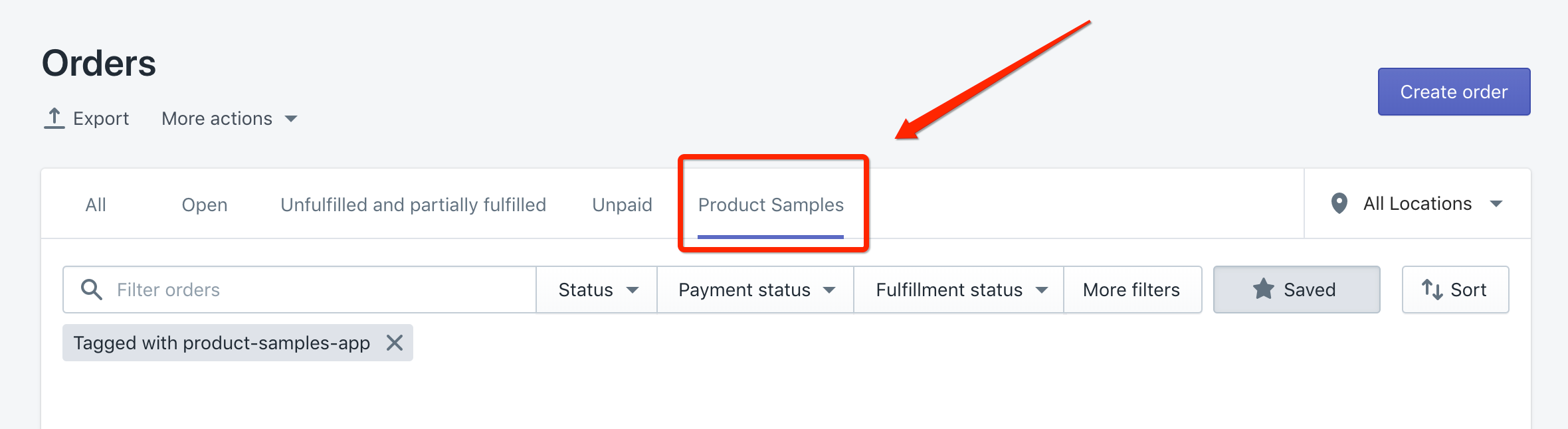
1. Click here to view orders created from app.
2. Hit Save filters 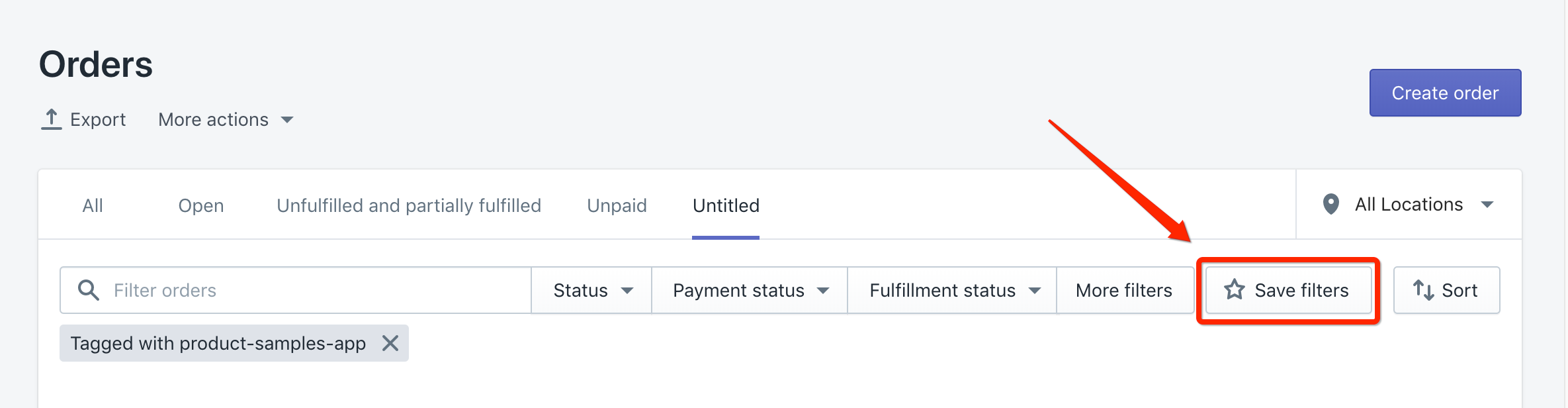
3. Fill in custom name Product Samples and hit Save. 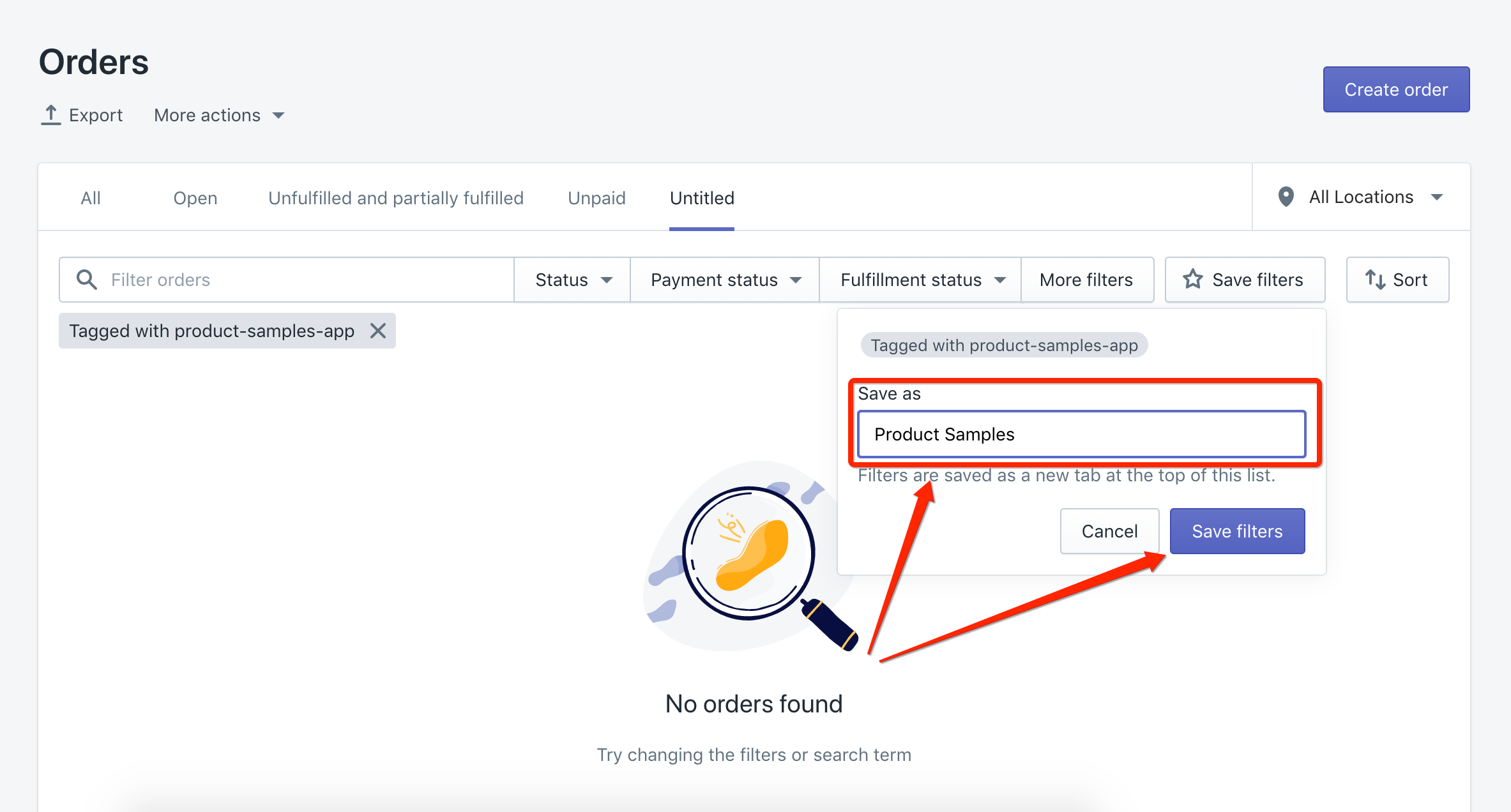
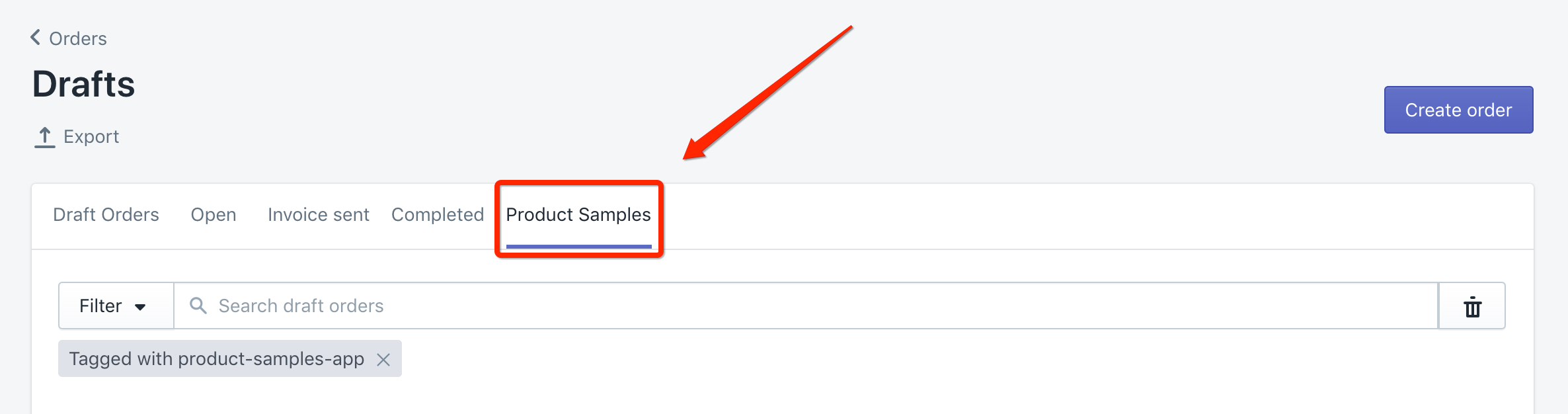
1. Click here to view drafts orders created from app.
2. Hit Save search 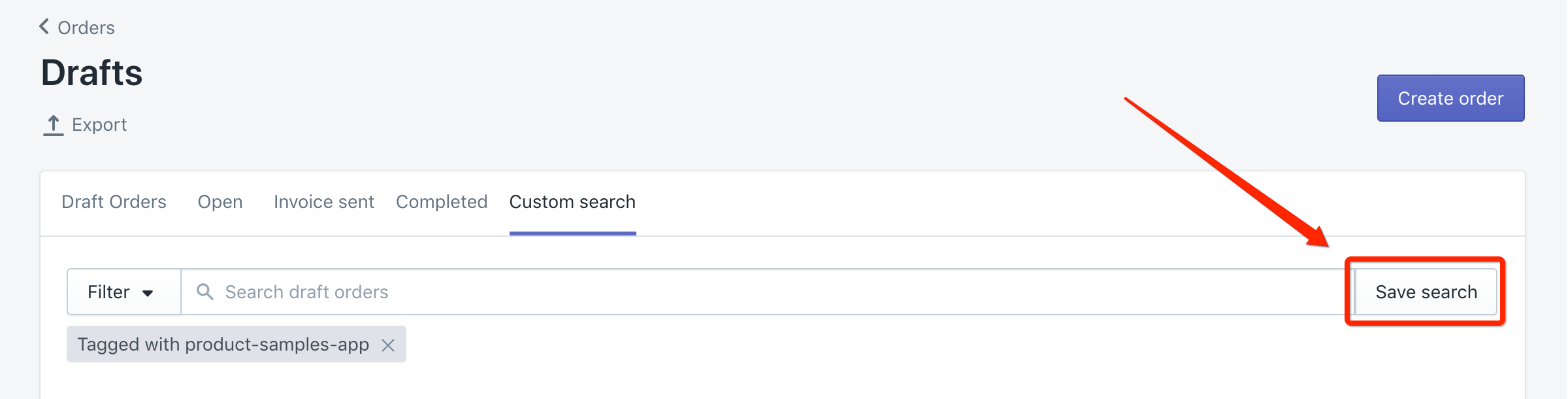
3. Fill in custom name Product Samples and hit Save. 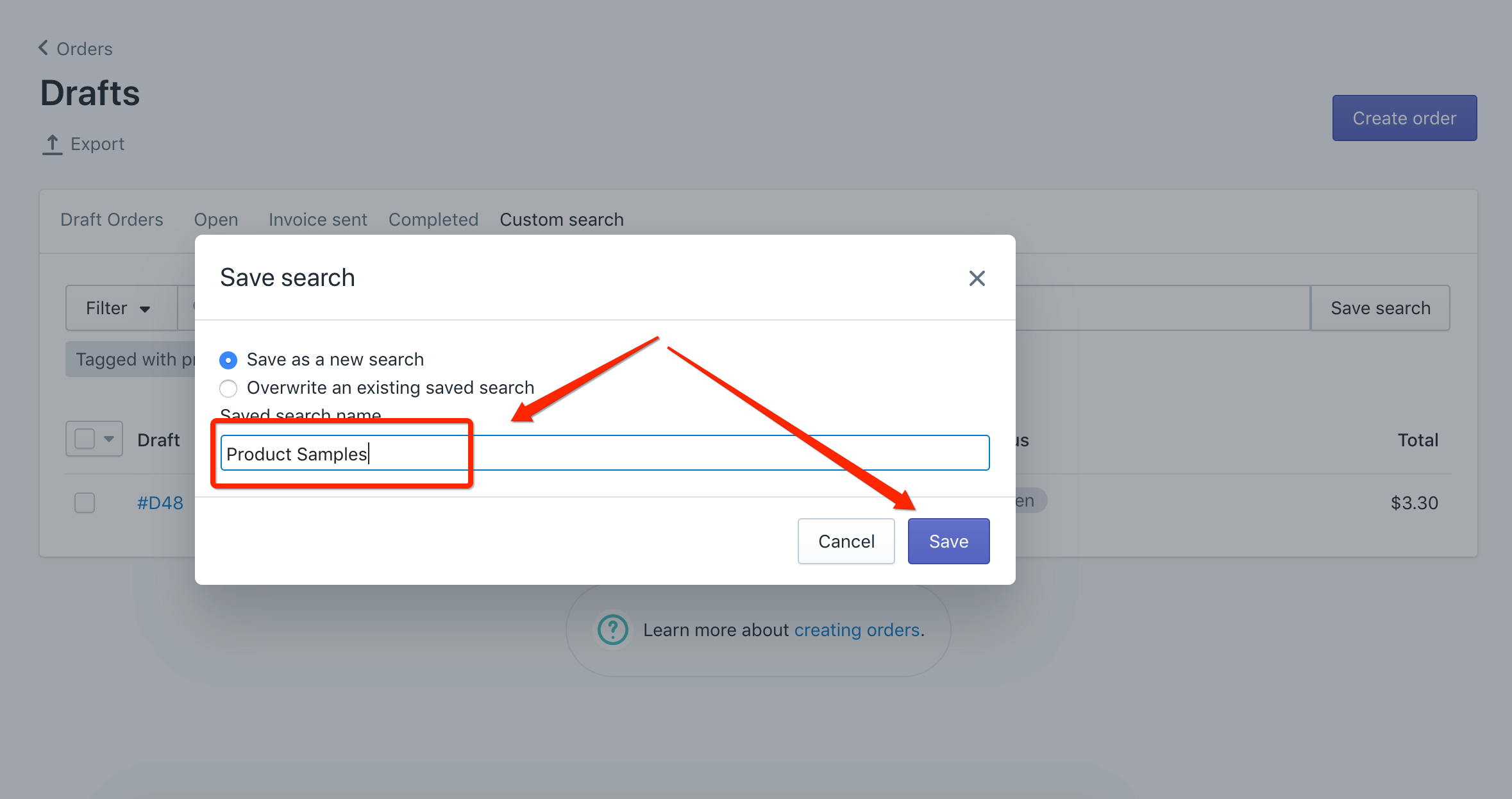
Was this article helpful?
Help us improve our documentation
Still need help?
Can't find what you're looking for? Our support team is here to help.
Contact SupportRelated Help Articles
How to Hide the Product Samples Widget on Specific Shopify Pages
Note:You’ll need some familiarity with CSS and Shopify Liquid for these instructions. If you’re not…
New Feature: Restrict Sample Order Shipping Destinations
We are excited to introduce a new shipping control in Product Samples: Sample Order Shipping…
How to Translate the App Interface
App’s text be translated from app’s Settings 1. From your app’s main dashboard 2. Navigate…