Holiday Sample Calendar: When to Open and Close Offers
Plan when to open, throttle, and close Shopify sample offers for the holidays — then match each window to Product Samples settings.

Holiday traffic is uneven. Sample demand spikes before gifting weekends and big sale days, then drops hard when you leave every offer open forever. A simple calendar — when to open sample offers, when to tighten them, and when to close them — protects margin and keeps samples feeling special.
This guide is a planning calendar for Shopify merchants who already offer samples (or are about to). Product Samples by Luke handles ordering, pricing, and which products get a sample button. The calendar is your job: decide the windows, then flip the matching settings.
Why a holiday sample calendar beats “always on”
Leaving every SKU open for free samples all season sounds generous. In practice it burns inventory on low-intent orders and trains shoppers to never buy full size until January. A calendar does three jobs:
- Open early on hero products so new shoppers can try before peak week.
- Throttle when labor and shipping get expensive (sample shipping still costs you).
- Close or narrow after the gifting peak so full-size checkout stays the default.
You do not need fancy forecasting. Pick dates on a one-page calendar and stick to them.
Suggested windows (adapt to your peak)
Use your own peak week. Many gift-heavy stores roughly follow:
- Early season (about 6–4 weeks out): Open samples on new and high-consideration products. Goal: learn which finishes/sizes people actually request.
- Mid season (about 4–2 weeks out): Keep samples on hero SKUs. Cap free samples or add a small sample price if margin is thin. Push full-size price next to the sample offer.
- Peak week (BFCM / major gift weekend): Narrow to selected products only. Prefer paid or limited samples so checkout stays focused on full-size cart value.
- Post-peak (the week after): Close holiday-only sample offers. Leave evergreen samples only on products where try-before-you-buy still pays for itself.
Write the four date ranges on a sticky note next to your admin. When the date hits, change settings the same morning — don’t wait for inventory to run dry.
How to open and close offers in Product Samples
Match each calendar move to a concrete setting (then Save Settings, and confirm the storefront in a private window):
- Offer samples only on the products in this window: Settings → choose Offer Samples to some products only, pick those products, Save. Storefront: Get a Sample appears only on that set.
- Keep samples out of the regular cart during peak: use the default Display samples in separated sample box so sample checkout stays its own draft-order flow and doesn’t mix with full-size Black Friday carts.
- Pause samples storewide for a day: Visibility → hide the app on the live theme (or turn off the Product Samples app embed), Save. Get a Sample disappears until you turn it back on.
- Tighten free samples: set a sample price or shipping rule that fits your margin (see your pricing/shipping help articles). Calendar change first; price tweak second.
Not sure which SKUs deserve a sample button at all? Start with which products should offer samples. For follow-up after a sample ships, use the 3-touch follow-up plan.
What shoppers should see in each window
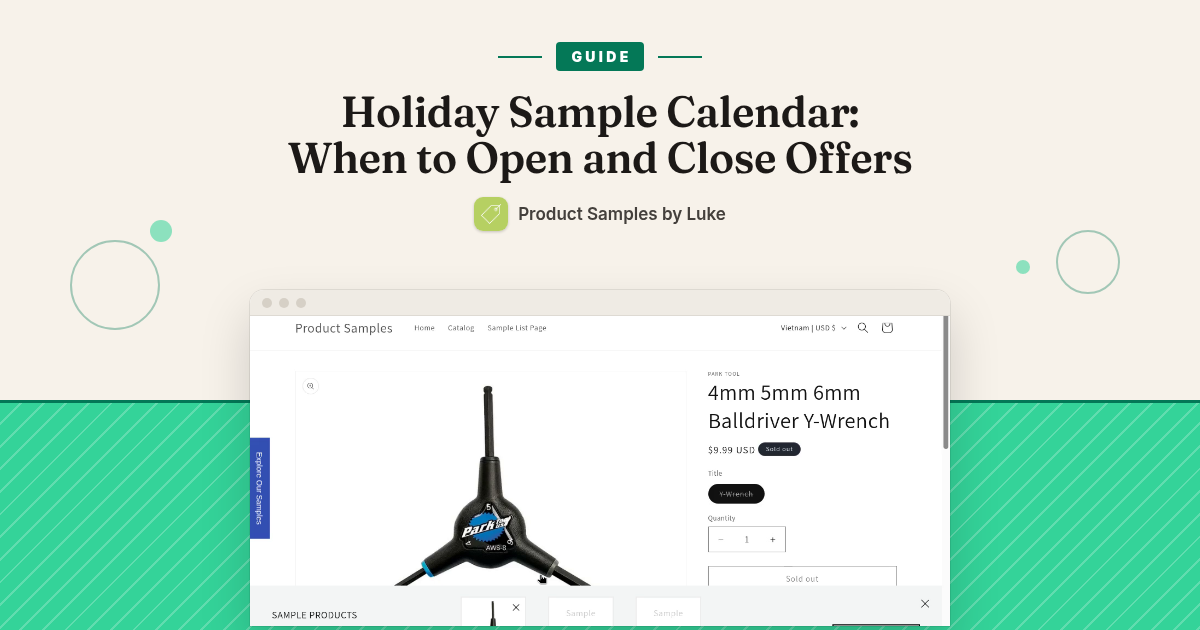
- Open window: Get a Sample on the product page, clear sample vs full-size labeling, and a sample box (if you use the separated box) that only holds samples.
- Peak / narrowed window: Get a Sample only on the selected hero set. Other products show Buy / Add to cart only.
- Closed window: No sample button on holiday SKUs. Full-size purchase path is uninterrupted.
One-page checklist for this week
- Mark open / throttle / peak / close dates on a calendar.
- List the SKUs allowed in each window (keep it short).
- On each date: update “some products only” (or visibility), Save Settings, check one product page in a private window.
- After close: point returning sample shoppers at full size with your follow-up plan — not another free sample.
Product Samples by Luke is $12/month with a 7-day free trial on the Shopify App Store. The app runs the sample order path; the holiday calendar is how you stay in control of when that path is open.