Customizing Product Titles in Samples
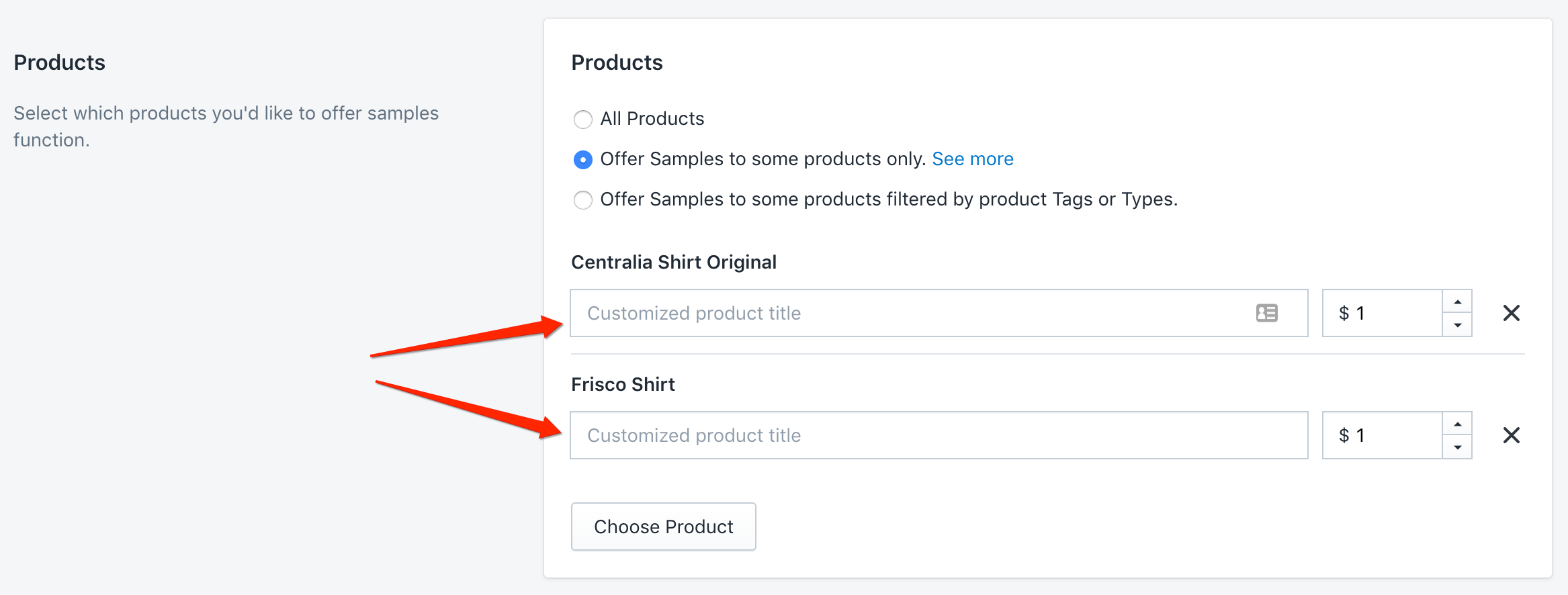
1. This feature is available when you enable the Display samples in a separate sample box > Offer Samples to some products only setting in the app’s dashboard
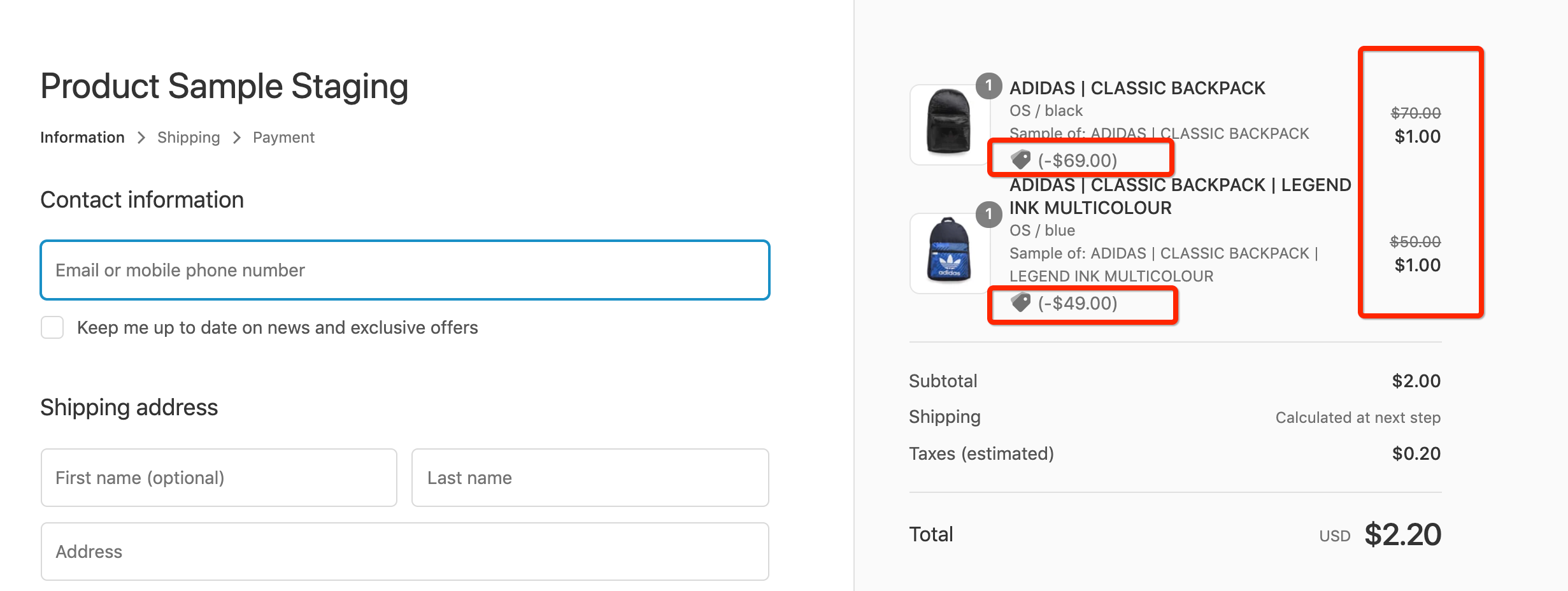
2. To decrease Sample price based on your settings from app’s backend, app applied discount to samples products which might look like this
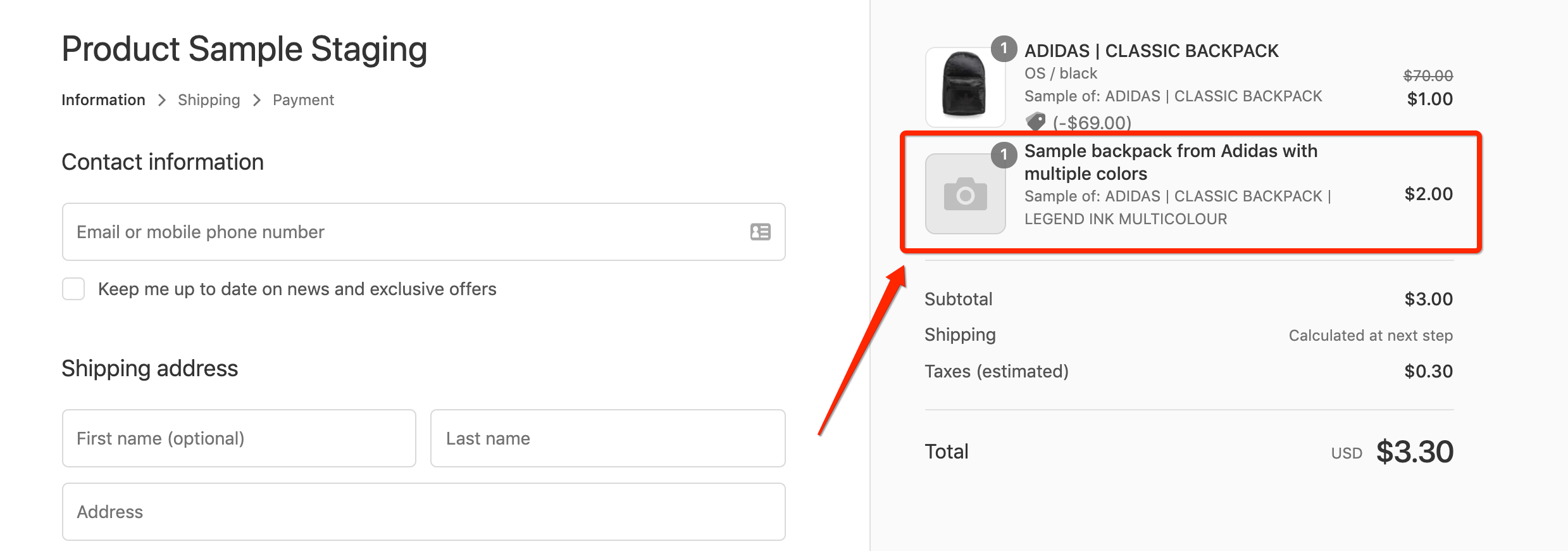
3. With this setting enabled, you can fully customize the product title and price shown for samples.
Note: Due to Shopify platform limitations, product images cannot be displayed for these custom sample line items. If Shopify updates their system to allow image customization here in the future, we’ll update the app to support it right away.
Need help?
If you have any questions about these settings or need help customizing your store’s sample experience, feel free to reach out to our support team!
Was this article helpful?
Help us improve our documentation
Still need help?
Can't find what you're looking for? Our support team is here to help.
Contact SupportRelated Help Articles
How to Hide the Product Samples Widget on Specific Shopify Pages
Note:You’ll need some familiarity with CSS and Shopify Liquid for these instructions. If you’re not…
Integrating With Product Samples App: Event Hooks & Advanced Settings
The Product Samples App fires custom JavaScript events at key stages, making it easy to…
How to Load the App Faster
This doc will show you how to improve app loading speeds! 1. From your Shopify…